Ask what dimensions a book cover should be and you get one of two unhelpful answers. The first is a list of trim sizes — 5×8, 5.5×8.5, 6×9 — which answers a different question, because the trim size is the size of the finished book, not the size of the file you upload. The second is "use the calculator," which is correct advice and teaches you nothing, so the next time your page count moves you are back where you started.
The actual answer is that a print book cover's dimensions are derived, not chosen. Three inputs — trim size, page count, and paper stock — produce exactly one correct cover size, and once you can run that arithmetic yourself the entire category of size-related upload rejections stops happening.
This guide publishes the arithmetic. Amazon's official formulas, a computed wrap table in both inches and pixels, the hardcover wrap and hinge numbers taken from Amazon's own help documentation rather than from the guides that mis-copy them, and the aspect-ratio trap that quietly makes your print front cover the wrong shape for Kindle.
Quick Answer
If you already know your format, trim, and page count, here is the number without reading further:
| Format | Cover file size |
|---|---|
| Kindle ebook | 1,600 × 2,560 px (1.6:1 ideal) |
| 5×8 paperback, 200 pages, white paper | 10.70 × 8.25 in |
| 6×9 paperback, 300 pages, white paper | 12.93 × 9.25 in |
| 6×9 hardcover | No public formula — use the calculator below |
Different trim, page count, or paper? The KDP cover size calculator computes any combination in seconds, and the spine width calculator isolates just the spine. Everything below explains where these numbers come from — worth reading if a calculator's output ever looks off, or if you want to catch a sizing mistake before KDP does.
The Three Numbers Everything Else Comes From
Before any dimension can be calculated, three decisions have to be locked:
Trim size. The finished physical page size — 6×9 inches, 5×8, 8.5×11. This is what a reader holds. It sets both panels of your wrap and the cover height for every format.
Page count. The number of printed pages in the finished interior, read off the final laid-out file. Not a word-count estimate. Page count is the only variable that drives spine width.
Paper stock and ink. White, cream, premium color, or standard color. Each has a different thickness per page, so identical manuscripts produce different spines on different stock.
Change any one of these and the cover file size changes. This is why "what are the dimensions of a book cover" has no fixed answer, and why a cover designed before the interior was final is a cover that will need rebuilding.
Paperback: The Full Wrap Math
Amazon publishes both halves of this calculation directly in its paperback cover documentation, which is worth stating plainly because most guides route you to a calculator as though the formula were proprietary.
Spine width is page count multiplied by a per-page thickness that depends on your stock:
| Paper / ink | Inches per page |
|---|---|
| Black & white on white paper | 0.002252 |
| Black & white on cream paper | 0.0025 |
| Premium color | 0.002347 |
| Standard color | 0.002252 |
Cream is the thickest of the four. The same 300-page manuscript gets a 0.676-inch spine on white and a 0.750-inch spine on cream — a difference you can see on a shelf, and one that changes your total cover width by nearly a tenth of an inch.
The full wrap then follows from the spine:
- Cover width = bleed + back panel + spine + front panel + bleed
- Cover height = bleed + trim height + bleed
KDP's bleed is 0.125 inches on the top, bottom, and outside edges. So with a standard bleed the width collapses to (trim width × 2) + spine + 0.25, and the height is always just trim height + 0.25 — independent of page count entirely.
A computed 6×9 wrap table
Here is what that produces for the most common adult trim, on white paper, in both inches and pixels at 300 DPI. Cover height is a constant 9.25 inches, or 2,775 pixels.
The diagram below shows what those numbers actually describe: one file, three zones. The back and front panels are the trim size on the outside edges; the spine sits between them at whatever width the page count produced; the hatched band is bleed, and the dashed inset is the safe area text should stay inside.
| Page count | Spine (in) | Cover width (in) | Cover size (px, 300 DPI) |
|---|---|---|---|
| 150 | 0.338 | 12.588 | 3,776 × 2,775 |
| 200 | 0.450 | 12.700 | 3,810 × 2,775 |
| 250 | 0.563 | 12.813 | 3,844 × 2,775 |
| 300 | 0.676 | 12.926 | 3,878 × 2,775 |
| 400 | 0.901 | 13.151 | 3,945 × 2,775 |
| 500 | 1.126 | 13.376 | 4,013 × 2,775 |
Two things are worth noticing. First, none of these are round numbers, which is exactly why setting a cover canvas to a memorable figure and designing into it does not work. Second, the width moves by a quarter inch across a 350-page range while the height never moves at all — so if you are building a series with varying lengths, the height is the dimension you can standardize on and the width is the one you cannot.
Cover height and front-panel size by trim
Because height is page-count-independent, it can be tabulated once for every common trim. The front-panel column is the size of the front cover alone at 300 DPI — useful when you are designing the front first and deriving the wrap later.
| Trim size | Cover height (in / px) | Front panel (px, 300 DPI) | Front panel ratio |
|---|---|---|---|
| 5 × 8 | 8.25 / 2,475 | 1,500 × 2,400 | 1.600 |
| 5.25 × 8 | 8.25 / 2,475 | 1,575 × 2,400 | 1.524 |
| 5.5 × 8.5 | 8.75 / 2,625 | 1,650 × 2,550 | 1.545 |
| 6 × 9 | 9.25 / 2,775 | 1,800 × 2,700 | 1.500 |
| 6.14 × 9.21 | 9.46 / 2,838 | 1,842 × 2,763 | 1.500 |
| 7 × 10 | 10.25 / 3,075 | 2,100 × 3,000 | 1.429 |
| 8.5 × 11 | 11.25 / 3,375 | 2,550 × 3,300 | 1.294 |
That last column is not decoration. It is about to matter a great deal.
The 1.6:1 Trap Nobody Warns You About
Amazon's published ideal for a Kindle ebook cover is 2,560 pixels tall by 1,600 pixels wide, with a stated height-to-width ratio of at least 1.6:1. Minimum accepted is 1,000 × 625; maximum is 10,000 pixels on either side; the file must be RGB, JPEG or TIFF, and under 50 MB.
Now look back at the ratio column. A 6×9 book — the default trim for most indie fiction and nonfiction — has a front panel ratio of exactly 1.5:1. So does 6.14×9.21. Neither reaches 1.6.
The practical consequence is the part that gets skipped: you cannot simply crop the front panel out of your print wrap and upload it as your Kindle cover. The crop is proportionally too short. You will either get a cover that sits below Amazon's stated ideal ratio, or you will stretch it — which distorts the type and is visible immediately on a title set in a condensed face.
Of the common KDP trims, only 5 × 8 is natively 1.6:1. Every other standard trim is wider relative to its height than Kindle wants.
There are two clean ways out, and one dirty one:
- Design the ebook cover on its own canvas. Build at 1,600 × 2,560, then adapt the composition to the print front panel rather than the other way round. This is the right answer when the ebook is the primary edition, which for most indie releases it is.
- Design the print front with extra vertical room. Compose so that the top and bottom of the artwork can extend without breaking the layout, then produce the taller ebook crop from the same source file.
- Stretch it. Do not. Non-uniform scaling of a cover is one of the most recognizable amateur tells there is, and it is most obvious on exactly the element you least want to damage — the title.
Hardcover: The Numbers Most Guides Get Wrong
Hardcover is where third-party size guides become genuinely unreliable. A case wrap has to cover boards that overhang the book block, then fold around them and glue to the inside, and it needs a flexible channel beside the spine so the book can open. Those allowances are specific numbers, and they are widely mis-quoted.
Taken directly from Amazon's hardcover cover documentation:
| Element | Official figure |
|---|---|
| Wrap — image extends past the front cover edge | 0.51 in (15 mm) |
| Hinge — space between spine and safe area, each side | 0.4 in (10 mm) |
| Safe area — text and images from the edge of the book | 0.635 in (16 mm) |
| Barcode zone | 2 in × 1.2 in |
| Barcode placement | ≥ 0.76 in from bottom, ≥ 0.25 in from spine hinge |
| Resolution | 300 DPI minimum |
| File format | A single PDF |
Popular guides circulate 0.625-inch wraps and 0.375-inch hinges. Those are not Amazon's published figures. The gap is small in absolute terms and large in consequence: the hinge is precisely where a book flexes, and artwork or type that drifts into it gets distorted every time the book is opened.
Hardcover also carries a constraint that has nothing to do with arithmetic: KDP offers substantially fewer hardcover trim sizes than paperback ones. If you plan to release both editions, confirm your trim exists in hardcover before you design anything, or you will be redesigning a wrap around a trim you cannot actually order.
Dimensions Are a Design Constraint, Not Just a Spec
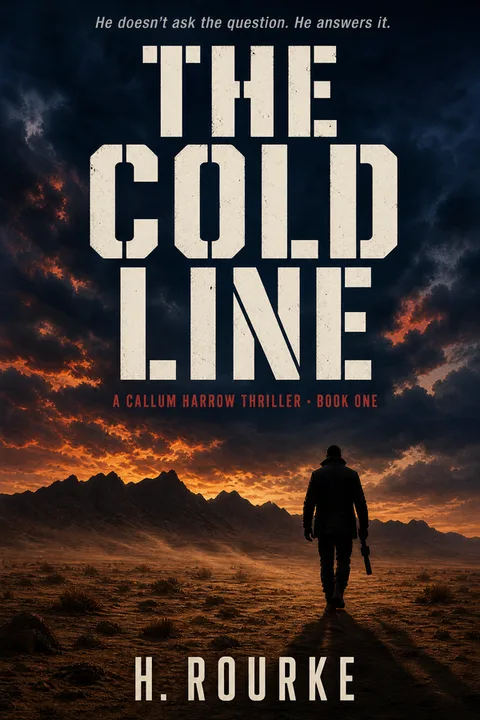
There is a reason a size guide should not end at the spec sheet. Whatever you build at 3,878 × 2,775 pixels, almost nobody will ever see it at that size. The first — and for most buyers, only — encounter with your cover is a small image in a search results grid, on a phone.
That is a dimensional fact, and it changes what belongs on the cover. It is also measurable, which is where our own data comes in. Across Amazon's thriller and mystery bestsellers, the covers that survive being shrunk share a specific structural bias:
Seventy-nine percent lead with type rather than imagery. That is not an aesthetic preference — it is a legibility strategy for a display context where fine detail is destroyed and only the largest shape survives. A cover engineered at print resolution and never checked at thumbnail scale routinely fails this test while being technically flawless on every spec above.
Before you finalize any cover file, scale it to roughly the width of your thumb and look at it. If the title has stopped reading, the dimensions are correct and the design is not.





Getting Your Exact Dimensions, Step by Step
- 01
Lock your trim size before anything else
Pick the physical page size — 6×9 for most adult fiction and nonfiction, 5×8 or 5.5×8.5 for a smaller-feeling novel, 8.5×11 for workbooks and cookbooks. Every other number on this page is derived from the trim, so changing it later invalidates the whole cover file. Check that your trim is offered in the format you plan to publish; KDP's hardcover list is much shorter than its paperback list.
- 02
Finalize the interior and read the real page count
Lay out the manuscript at its final font, leading, and trim, then read the total page count from the finished file. Not a draft estimate, not a word-count guess. The page count is the only input that drives spine width, and spine width drives the total cover width, so a late interior change forces a cover rebuild.
- 03
Choose your paper and ink, because they change the spine
KDP's per-page thickness differs by stock — white paper is 0.002252 inches per page, cream is 0.0025, premium color is 0.002347. Cream is thicker than white, so the same manuscript produces a visibly wider spine on cream. Decide the stock now, not at upload.
- 04
Calculate the spine, then the full wrap
Spine width equals page count multiplied by the per-page thickness for your stock. Full cover width equals bleed plus back cover width plus spine width plus front cover width plus bleed, which for a standard 0.125 inch bleed comes to twice the trim width plus the spine plus 0.25 inches. Full cover height is simply the trim height plus 0.25 inches.
- 05
Convert to pixels at 300 DPI and set the color mode
Multiply every inch dimension by 300 to get the pixel canvas, since KDP requires a minimum 300 DPI for print covers. KDP's own paperback guidance recommends CMYK color for the images inside a print cover, the opposite of what most online guides claim — do not blanket-convert to RGB on the assumption that print and ebook share one color rule. Reserve the lower-right barcode zone, roughly 2 inches wide by 1.2 inches high, as a clean low-detail area.
- 06
Verify against the official calculator before you design
Run your exact trim, page count, paper, and ink through KDP's cover calculator and download the template. Use the template as a guide layer, not as an afterthought check. If your own arithmetic and the calculator disagree, the calculator wins — it accounts for binding allowances that are not published as formulas.
- 07
Export a single flattened PDF and proof at full size
Print covers upload as one PDF containing back, spine, and front in a single page — not three pages docked together, which is a recurring cause of wrong-size rejections. Flatten transparency, embed fonts, and open the export at 100 percent to confirm nothing critical drifted into the bleed or the spine hinge.
If you would rather not run the arithmetic by hand, the KDP cover size calculator computes the full wrap from your trim, page count, and paper, and the spine width calculator isolates just the spine in inches, millimetres, and pixels. If you already have an ebook front and need the print wrap, the ebook-to-paperback converter builds the wrap around it.
Pages, Sheets, and Other Dimension Mistakes
- ✕01
Multiplying sheets instead of pages
A 112-page book is printed on 56 sheets of paper, and it is genuinely unclear from the formula alone which number belongs in it. This exact question recurs on design forums. The answer: KDP's formula takes the page count — the same figure KDP asks you for — not the sheet count. Using sheets halves your spine and produces a wrap that is visibly too narrow.
- ✕02
Uploading three pages instead of one
Building the wrap as three docked pages — back, spine, front — looks perfectly correct inside a layout application and gets rejected as the wrong size, because the uploader reads a multi-page PDF as a single-panel cover with impossible proportions. The fix is a single-page document at the full wrap dimensions, not a re-export of the same three-page structure.
- ✕03
Designing the cover before the interior is final
Spine width is a function of page count, so any interior change after the wrap is built invalidates the wrap. Adding a dedication page or switching body fonts can move the page count enough to shift the spine. Finish the interior, then build the cover.
- ✕04
Applying one color rule to both files
The Kindle ebook cover and the print wrap are different files with different color guidance — KDP's own ebook documentation calls for RGB, while its paperback documentation recommends CMYK for the images inside the cover. Converting your ebook front to CMYK because 'it is a print job now,' or leaving a print wrap in RGB because that is what you used for Kindle, applies the wrong file's rule. Check which cover you are exporting before you touch the color mode.
- ✕05
Upscaling a low-resolution image to reach 300 DPI
Setting the document to 300 DPI does not create detail that was never captured. A 1,200-pixel-wide stock image stretched across a 3,878-pixel wrap is soft at print size regardless of the DPI field. Source artwork at or above the final pixel dimensions from the start.
- ✕06
Putting content in the barcode zone
The lower-right block of the back panel is reserved, roughly 2 inches by 1.2 inches. Artwork placed there is not rejected for size — it is simply overprinted by the barcode, and a barcode over a dark or busy background can fail scanner reads at retail.
- ✕07
Reusing the print front as the Kindle cover
Covered in detail above, and worth repeating because it is invisible: a 6×9 front panel is 1.5:1, and Amazon's Kindle ideal is at least 1.6:1. The crop is not wrong enough to look broken and not right enough to meet spec.
Where the Rest of the Cover Is Covered
Dimensions are the constraint layer. Two adjacent pieces handle what goes inside those dimensions:
- The back cover anatomy guide covers the seven zones of a back panel, blurb length by genre, and where the ISBN block sits — the design decisions that happen once the wrap size is settled.
- The full cover production guide covers the route decision, licensing, and the genre signalling that determines whether a correctly-sized cover also sells.
For paperback-specific wrap mechanics, the paperback cover page goes deeper on safe areas and extending artwork across the spine. And if you are working in a genre where the thumbnail test is unforgiving, the thriller and mystery cover conventions show what the data-backed composition actually looks like.
Apply These Dimensions to Your Book
Correct dimensions are table stakes — they get the file accepted, nothing more. What gets the book bought is what fills those dimensions, at the size a buyer actually sees it.
01What are the standard book cover dimensions?
There is no single standard, because a book cover's dimensions are derived rather than chosen. For a print book, the cover file size comes from three inputs: your trim size, your page count, and your paper stock. A 6×9 inch paperback with 300 pages on white paper needs a cover file of roughly 12.93 × 9.25 inches — that is two 6-inch panels, a 0.676-inch spine, and 0.125 inches of bleed on each outer edge. The same 6×9 book at 200 pages needs 12.70 × 9.25 inches instead, because the spine is thinner. For a Kindle ebook there is no spine and no bleed, and Amazon's stated ideal is 2,560 pixels tall by 1,600 pixels wide. The only number that stays constant across every print book of a given trim is the height: trim height plus 0.25 inches.
02What size should a book cover be in pixels?
For a Kindle ebook cover, Amazon's published ideal is 2,560 pixels in height by 1,600 pixels in width, with a minimum of 1,000 × 625 pixels, a maximum of 10,000 pixels on either side, and a height-to-width ratio of at least 1.6:1. For a print cover, pixels are a derived number rather than a target — you calculate the cover in inches, then multiply by 300 because KDP requires a minimum resolution of 300 DPI. A 6×9 paperback with a 0.676-inch spine works out to about 3,878 × 2,775 pixels. Setting a print cover to a round pixel figure such as 2,560 × 1,600 and hoping it fits is the most common version of this mistake; print dimensions are never round, because spine width almost never lands on a clean fraction.
03Is the ebook cover the same size as the print cover?
No, and they are not even the same shape. A print cover file is a full wrap — back panel, spine, and front panel in one image, plus bleed. An ebook cover is the front panel only, with no spine and no bleed. The shapes also differ: a 6×9 print book has a front panel ratio of exactly 1.5:1, while Amazon asks for at least 1.6:1 on Kindle covers. That means cropping the front panel out of your 6×9 print wrap gives you a Kindle cover that is slightly too short for the ideal ratio. Either design the ebook cover on its own 1,600 × 2,560 canvas, or design the print front with the extra height in mind from the start.
04How do I calculate spine width for a KDP paperback?
Multiply your page count by the per-page thickness of your chosen paper. KDP publishes these figures directly: white paper is 0.002252 inches per page, cream paper is 0.0025, premium color is 0.002347, and standard color is 0.002252. A 320-page book on cream paper gets a spine of 320 × 0.0025, which is 0.8 inches. Use the page count — the same number KDP asks you for — not the number of physical sheets. Sheets are roughly half the page count, and using them halves your spine, which is a documented source of confusion on design forums. Note that KDP only prints text on the spine at all once a book is thick enough, so very short books get a spine width but no spine type.
05Why does KDP say my cover is the wrong size when the math is right?
The most common cause is file structure rather than arithmetic. KDP expects a single-page PDF containing the back, spine, and front side by side. A file built as three separate pages looks correct in a layout application and is still rejected, because the uploader reads it as a one-panel cover of the wrong proportions. The next most common cause is a page count that changed after the wrap was built without the cover being rebuilt to match — the file dimensions and the dashboard's current page count silently disagree. Before re-exporting, confirm the file is one page, at 300 DPI, and sized to the page count currently in your KDP dashboard rather than the one you designed against last week.
06Are hardcover dimensions the same as paperback?
No. A hardcover case wrap has to cover boards that are larger than the book block and then fold around them, so the file is meaningfully bigger than the equivalent paperback wrap. Amazon's own hardcover guidance specifies that cover images extend 0.51 inches (15 mm) past the edge of the front cover for the wrap, that a 0.4-inch (10 mm) hinge space sits between the spine and the safe area on both panels, and that text and images stay 0.635 inches (16 mm) from the edge of the book. Several widely-circulated guides quote different wrap and hinge figures than these; Amazon's help page is the authority. KDP also offers fewer hardcover trim sizes than paperback ones, so a trim you picked for paperback may not exist in hardcover at all.
07If I generate a cover with an AI tool, does it already match these dimensions?
Only partially, and it's worth knowing which part — dimensions and file format are separate questions. An AI cover generator typically produces one front-panel image, which is the right kind of artwork for a Kindle ebook cover: no spine, no bleed. Our own wizard's paid export is a portrait front cover at 1600 × 2560 — exactly Amazon's recommended 1.6:1 Kindle dimensions, not an approximation of them. Upload the JPG for the Kindle cover itself, because KDP's ebook cover spec accepts TIFF or JPEG; PNG is the other paid export format, and it is the one to keep when you want a lossless file to edit or hand to a designer. Children's picture books are the exception on dimensions: they generate square and export at 1600 × 1600, which clears Amazon's minimum but is not the 1.6:1 ratio it recommends, because that file is the shape the printed picture book is. What an AI front-cover image does not do on its own is become a print wrap: the back panel, spine, and bleed still have to be built around it at your exact trim, page count, and paper stock, which is a separate step regardless of which tool generated the artwork. Our [Ebook→Paperback converter](/ebook-cover-to-paperback) does that step — takes the front image and the three inputs from this guide and outputs the sized wrap PDF.
Evan Kane is the founder of MakeMyBookCover and runs the cover-archetype research behind the product — coding category bestseller lists by hand for every genre in the Bestseller Cover Visual DNA Index, and re-coding them as the lists move, to keep the genre-signal models honest.