How we sourced this guide. The spec numbers below come from KDP's and IngramSpark's official paperback cover help pages, accessed and verified in May 2026 — both printers update their templates quarterly, so confirm the live numbers before locking your wrap. The failure patterns and amateur tells are distilled from the recurring r/selfpublish, r/KDP, and r/romanceauthors threads on print-quality and back-cover critique. The genre-conventions analysis traces back to MakeMyBookCover's own hand coding of category bestseller lists, published in full as the Bestseller Cover Visual DNA Index and re-coded as the lists move. The wizard linked at the end is our tool; we say so up front rather than hiding the disclosure.
What "Back Cover" Actually Means (and Why Designers Call It the Wrap)
The back of a paperback is called the back cover, but the file you upload to KDP, IngramSpark, or any print-on-demand service is rarely just the back. It is the wrap — back cover, spine, and front cover composited into a single image, sized to your book's exact trim and page count, with bleed on all four edges.
That vocabulary gap is the source of nearly every paperback cover headache the indie author forums catalogue. A first-time author asks a designer to "do the back," gets a quote that does not include the spine, uploads an out-of-spec wrap, and burns three weekends in the KDP upload loop.
The same vocabulary gap explains why the back cover of a book is rarely a standalone deliverable. It is one third of one file, with the spine width and bleed determined by the page count and paper type of the manuscript that does not yet exist when most authors start designing. Designing the back cover before the manuscript is final is fine — designing it outside the wrap template is the mistake.
The text on the back cover has its own names too. The marketing copy is the blurb (or back-cover copy). The small block in the lower-right with the ISBN and barcode is the price box or barcode block. The optional praise sentence at the top is a pull quote or endorsement. The bottom area where the publisher logo lives is the publisher mark.
The rest of this guide treats the back cover the way a working designer does — as one panel of a wrap, with seven structural zones, dimensional constraints from the front cover above it and the spine to its right, and a fixed safe area in the corner where the barcode must live.
The Seven Zones Every Paperback Back Cover Has
Every back cover in commercial publishing organises around seven zones. Not every book uses all seven — minimal designs use four — but the zones are what gives the back cover the reading rhythm a buyer expects.
| # | Zone | Purpose | Typical position |
|---|---|---|---|
| 1 | Top tagline or pull quote | One-line hook that earns the read | Top 15% of the back cover |
| 2 | Blurb body | The 100–200 word marketing pitch | Center-left, three to four paragraphs |
| 3 | Optional second pull quote | Social proof from a comp-genre author | Inline within the blurb or below |
| 4 | Optional comp-titles line | "For fans of X and Y" anchor | Just above or below the blurb |
| 5 | Author bio | One short paragraph, third person | Below the blurb, often boxed |
| 6 | ISBN / EAN barcode block | Required for retail scan | Lower-right, 2"×1.2" white safe area |
| 7 | Publisher mark or imprint | Brand signal | Lower-left, opposite the barcode |
Reading the back cover from top to bottom, the eye expects this order. A back cover that puts the bio above the blurb, or moves the barcode to the lower-left, breaks reading rhythm and registers as amateur even when the copy is good.
Block out the zones as empty rectangles before writing a single word of blurb. The composition decision is independent of the copywriting decision and the composition decision is harder to fix later.
Why the Back Has to Match the Front
The back cover does not exist in isolation. It is read as the back of the same physical object as the front — the same paper, the same printer, the same designer, the same book. A back cover that uses a different font, a different palette, or a different photographic style than the front reads as a different book stapled to the wrong front.
This is where the front-cover bestseller data constrains the back. If the front of a romance book follows the conventions that actually dominate Amazon's Top 50 — title-dominant typography, a chunky serif, a dark palette, a single ornamental object — the back has to extend that voice. A blackletter-serif romantasy front with a blood-red dagger cannot pair with a Helvetica back-cover blurb on cream paper. The wrap reads as broken.
Read this chart as the design constraints the back cover inherits. The 66% chunky-serif title face on the front decides the back-cover tagline face. The 56% solid-color background on the front decides whether the back is a solid block of the same color or a darker grade of it. The 54% dark palette decides the back's contrast direction — light blurb type on dark ground, not the reverse.
The back cover is not where you express a different visual idea. It is where you keep the front's visual idea consistent at small scale. Treat the front-cover conventions as the back's design brief — already written, just for a different panel.
For a deeper look at how Top-50 romance covers earn each of these six conventions, see Romance Book Cover Ideas — Top-50 Data, 6 Conventions. The back-cover design decisions inherit from that grammar directly.
The Blurb — How Long, By Genre and Book Length
The single most-asked back-cover question on Reddit's r/selfpublish and r/writing is some version of "how long should the blurb be." Below are the working tiers we use across paperback briefs, calibrated against the bestseller shelf — a starting band to draft against, not a rule:
| Genre | Blurb word count | Why |
|---|---|---|
| Romance (contemporary, rom-com) | 80–140 | Pace is the genre; long blurbs lose the warmth |
| Romance (dark, romantasy) | 100–160 | Slightly longer to seat the stakes and worldbuild |
| Thriller / mystery | 100–180 | Needs space for hook, threat, ticking clock |
| Fantasy / SFF | 120–200 | Worldbuild costs words; resist going further |
| Literary fiction | 90–150 | Lean and atmospheric; voice over plot |
| Nonfiction (narrative) | 120–180 | Premise + author authority |
| Nonfiction (how-to / self-help) | 150–220 | Bullets of promise can earn the extra length |
| Memoir | 100–160 | One arc, one stake |
| Children's picture book | 40–80 | Parent reads it standing in a store |
| Middle grade / YA | 90–140 | Pace it like an opening chapter |
| Poetry / art book | 0–60 | Often blank or a single quote |
These are not rules. They are the band the bestseller shelf reads at. Going to 300 words on a romance is fine if every sentence is earning the read; in practice almost no first-draft blurb passes that bar. The reliable move is to draft to the tier, then cut the weakest twenty percent. The cut version is what goes on the back.
Comp-Titles — the "For Fans of X and Y" Line
Comp-titles is the one zone almost every cheap back cover skips and almost every confident one uses. The formula that works on bookstore shelves and Amazon Look-Inside pages is short:
| Format | Example | Why it works |
|---|---|---|
| Single comp | "For readers of Fourth Wing." | Lowest risk; signals a clear shelf neighbour. |
| Double comp | "For readers of Fourth Wing and A Court of Thorns and Roses." | Bracket the book between two named neighbours. |
| Cross-comp | "Outlander meets Babel in a Regency academy." | Highest information density, but the cross has to actually deliver. |
Pick comps from your subgenre's current top-50, not from the classics — a romantasy compared to Pride and Prejudice reads as overreach. Avoid name-dropping a comp the book cannot deliver on; the reader will grade the read against the comp and a mismatch turns into a one-star review citing exactly that promise. If you cannot earn the comp, skip the line and lengthen the blurb by one sentence.
The structural rule beneath all the tiers is more important than the word count. Open with a one-line hook in fewer than twenty words. Break the body into two to four short paragraphs. End on a stakes question or a HEA promise — not on a comma.
The Romance Blurb Skeleton That Actually Works
The romance corner of indie publishing has the most active and most ruthless back-cover critique culture, mostly because romance readers are the most genre-trained reading audience and they grade against a clear emotional contract. The skeleton that survives r/romanceauthors and r/PubTips critique threads has a small number of components in a fixed order.
- Hero or POV character — by name, with one defining trait.
- Love interest — by name, with the trait that creates the tension.
- What pulls them together — the situation that forces proximity.
- What tears them apart — the conflict that pays the romance arc.
- Stakes — what is lost if they fail.
- HEA promise — the genre contract that this is a romance, not a tragedy.
The most cited failure pattern in romance back-cover critiques is a blurb that reads like a fantasy or thriller blurb — heavy on worldbuild, light on the love interest. Indie romance readers who land on a paperback in a store have decided in roughly ten seconds whether the love-arc is on the page; a blurb that does not introduce the love interest by name in the first paragraph is read as a wrong-genre book.
Cross-genre romance — romantasy and dark romance — relaxes the order slightly. Romantasy lets you front the world stakes, then introduce the love interest by the end of the first paragraph. Dark romance often opens on the love interest first, with the protagonist's trait introduced after, because the love interest is the gravitational object of the genre.
The thriller, fantasy, and nonfiction skeletons differ in component but not in approach — pick the components, fix the order, draft, cut twenty percent. The skeleton is not a constraint on voice. It is a constraint on omission.
Other Genres — the Closing Line That Earns the Click
Every genre's blurb closes on the genre contract — the implicit promise the reader has bought into. Romance closes on the HEA promise (or the more recent HFN — happily for now — when a series is mid-arc). The other genres have their own equivalents, and they are the line your blurb needs to land on rather than a generic cliffhanger:
- Thriller and mystery close on an unresolved threat plus a ticking clock. The last line is a stakes question the reader cannot answer without opening the book. "She has seventy-two hours. The detective who can stop her is the one who put her here." The contract is justice delivered, in pages.
- Fantasy and SFF close on a world-stakes question paired with a system tease. The last line invokes the cost of failure and the unique magic or world rule that gates the solution. "Magic returns at dawn. So does the war it ended a thousand years ago." The contract is worldbuild that pays off.
- Nonfiction (narrative) closes on a transformation promise plus an author-authority signal. The last line tells the reader what they will leave the book having understood, and why this author is the one to tell it. "The story of how a small team built the model — and what it teaches anyone trying to build the next one." The contract is changed view of a thing you thought you understood.
- Memoir closes on a specific reframe, not a generic life-lesson. The last line names what the reader will reconsider. The contract is one earned reframe.
Whatever the genre, the close is not a comma. It is a one-line resolution of the contract the rest of the blurb has been writing checks for.
The Author Bio — Paperback vs. Ebook Tone
The author bio block is the back cover's second-most-cut zone. It is often inherited from the ebook product page and pasted in unchanged. That is usually a mistake — the paperback bio reads under different conditions and serves a different job.
The ebook bio sells the next book. It is read by someone who already clicked the current one. The paperback bio sells this book. It is read by someone holding the physical object, deciding now.
Two tone rules survive the indie community critique threads on this topic:
- Third person, present tense, one paragraph. "Author X writes…" — not "I write…" The first-person bio reads as DIY-press; the third person reads as published. The convention is so strong that breaking it is read as inexperience even when the writing is fine.
- Lead with the genre claim, not the biography. "Sarah Voss writes dark contemporary romance set on the coasts of Maine" beats "Sarah Voss was born in Portland, Maine." The first signals the genre at a glance. The second is a polite memoir nobody will read.
For a paperback that will sit on a bookstore consignment shelf or a library pickup table, the bio earns its space. For a KDP-only paperback where the physical copy is mostly print-on-demand author copies, a single sentence — or no bio at all — is a defensible art-direction choice, especially on minimalist covers where a bio block would break the composition.
ISBN, Barcode, and the Lower-Right Price Box
The lower-right of every paperback back cover is reserved for the ISBN and EAN-13 barcode block. This is not a design choice. It is a retail scanning requirement, and it is the one zone where designer preference is overridden by infrastructure.
The constraints, summarised from KDP's and IngramSpark's published cover guidelines:
- KDP safe area: Reserve a white or near-white box of 2 inches wide by 1.2 inches tall (50.8 × 30.5 mm) in the lower-right corner of the back cover, well inside the trim edge.
- IngramSpark safe area: IngramSpark publishes a slightly smaller box — 1.75 inches by 1 inch. Design to KDP's larger 2 × 1.2-inch box and the same wrap file ships to both printers without rework.
- Bleed: Both KDP and IngramSpark expect 0.125 inch of bleed on all four edges of the wrap — extend background art into the bleed area; do not place text there.
- Contrast: The barcode must scan, which means dark-on-light. Printing a barcode on top of dark or textured artwork is a common cause of failed scans at retail.
- Automatic insertion: KDP and IngramSpark both auto-place the barcode at upload when you do not supply one. You must reserve the white space; you do not add the barcode image yourself.
- Publisher mark placement: If you include a publisher logo, place it in the lower-left, opposite the barcode — not above, below, or overlapping.
The most common amateur tell on a self-published paperback is a back cover where the barcode block is missing the white safe area entirely, sitting awkwardly on top of artwork that the printer's automatic-barcode system cannot work around. Reserving the white block at composition stage prevents this. Always confirm the safe area dimensions and placement in KDP's paperback cover help page or IngramSpark's file-creation guide before locking the layout.
Spine Width Math, in Plain English
Spine width is the single most-asked-about technical detail on KDP forums and the single most common cause of upload-loop failure. It is also one of the few back-cover decisions that is fully formulaic.
KDP's published spine-width formula for paperback covers is:
- White paper: spine width (inches) = page count × 0.002252
- Cream paper: spine width (inches) = page count × 0.0025
A few worked examples for a 6×9 paperback:
| Page count | White paper spine | Cream paper spine |
|---|---|---|
| 150 | 0.34 in | 0.38 in |
| 200 | 0.45 in | 0.50 in |
| 250 | 0.56 in | 0.63 in |
| 300 | 0.68 in | 0.75 in |
| 400 | 0.90 in | 1.00 in |
| 500 | 1.13 in | 1.25 in |
The reason the upload loop happens — "I made over 20 attempts and it keeps rejecting" is a recurring r/KDP refrain — is that the spine width drives the total wrap dimensions, and the total wrap dimensions are checked against your trim selection and page count at upload. Change the page count by 10 pages after locking the wrap and you have to regenerate the template.
Two operational rules survive every forum thread:
- Lock the manuscript page count before the final wrap export. Lay out the interior at the final font, leading, and trim. Use that page count, not a draft estimate.
- Always use the official cover calculator. KDP and IngramSpark publish a calculator that emits a template sized to your exact trim and page count. Designing to a guessed spine width is the source of the upload-loop pain. Do not guess.
One common misreading worth flagging: KDP's guidance on "no images on the spine" is widely interpreted as a ban on extending front-cover artwork across the spine. In context, the guidance is about thin spines on very low page counts where art can drift onto the wrong panel — for a full wrap on a 250-page book, extending the front-cover art across the spine is standard practice and helps mask any small spine drift, not the opposite. The fix on a thin-spine book is not blacking out the spine; it is keeping the spine art tonally continuous with the front, so a small drift is invisible.
For the spine itself, a separate full read on KDP paperback wrap mechanics lives under the paperback book cover landing — including the safe-area numbers, recommended bleed, and the gotchas around extending art across the spine.
Hardcover, Ebook, Audiobook — What "Back Cover" Means on the Other Three Formats
Most of this guide is paperback-first, because that is where the head-term searcher is when they ask "how do I design the back of a book." The other three commercial book formats have their own conventions, and conflating them is a recurring source of confusion in self-publishing forums.
| Format | What "back" actually is | Where the blurb lives |
|---|---|---|
| Paperback | Back panel of a single wrap file | On the back panel itself |
| Hardcover (case bound) | Back board, plus the back of a dust jacket | Usually on the dust-jacket back flap; the back board is often blank or carries only a publisher mark |
| Hardcover (laminated case, no jacket) | Back panel of the case wrap | On the back panel, same as paperback |
| Ebook (KDP / Apple Books) | No back. The cover file is the front only | On the Amazon product page, not on the cover |
| Audiobook | No back. The cover is a square front only | On the platform product page |
The two practical consequences worth flagging: (1) on a dust-jacketed hardcover, the case-bound back board is usually a clean designed surface — sometimes just a single embossed mark — and the blurb sits on the back flap of the jacket. Designing the hardcover board the way you would design a paperback back is a common over-correction. (2) For ebook-only and audiobook-only releases, the blurb is purely an Amazon-product-page asset and not a design surface — you can skip everything in this guide about zones, safe areas, and barcodes.
How to Design Your Back Cover, Step by Step
The eight-step working process below is the order experienced indie cover designers follow when handed a manuscript and a front cover. It moves from spec to composition to copy to proof, in that order, because each step depends on the previous one being locked.
- 01
Download the right wrap template for your trim and page count
Start in KDP's or IngramSpark's cover calculator with your exact trim (e.g. 6×9), exact page count, and paper choice (white or cream). The calculator outputs a wrap template — front, spine, back, and bleed — sized for your specific book. Do not design the back cover in isolation; design it inside the wrap template so the spine width and bleed are correct from frame one.
- 02
Place the seven zones before adding any copy
Lay out the seven structural zones on the back of the wrap — top tagline, blurb body, optional pull quote, optional comp-titles line, author bio, ISBN/barcode block, and publisher mark. Block them out as empty rectangles first. This forces the composition decision before the copy decision and prevents the most common amateur tell — a wall of unbroken text.
- 03
Write a hook line, not a summary opener
Open the blurb with a one-line hook — character collision, premise, or stakes question — not 'Mary lived in a small town.' The hook line carries the click on Amazon and the eye on the back cover. Aim for fewer than fifteen words. If it sounds like the back of a movie, you are close.
- 04
Draft the blurb to the genre word-count tier, then cut twenty percent
Hit the tier — roughly 80–140 words for romance, 100–180 for thriller and fantasy, 120–200 for nonfiction — then cut the weakest twenty percent. Every blurb gets long on the first draft. The cut version is what reads on the back. Length on the back is not a virtue.
- 05
Use the genre's blurb skeleton, not a plot summary
Romance — protagonist, love interest, what pulls them together, what tears them apart, stakes, HEA promise. Thriller — protagonist, threat, ticking clock, what they stand to lose. Fantasy — protagonist, world stakes, magic system tease, cost of failure. A plot summary describes the book; a skeleton sells the book.
- 06
Match the back type to the front type
Use the same title face for the back-cover tagline or pull quote. Use the same body face the spine uses for the blurb. The back is the back of the same object as the front — different fonts read as a different book stapled to the front.
- 07
Place the ISBN/barcode in the lower-right safe area
Reserve a 2-inch by 1.2-inch white or near-white box in the lower-right of the back cover for the ISBN and EAN barcode. KDP and IngramSpark expect this placement; barcodes printed on dark, textured, or low-contrast backgrounds fail scanner reads at retail. Confirm the safe area in your cover-template guide before locking the layout.
- 08
Proof at print size, not on screen
Export the wrap as a flattened PDF (PDF/X-1a:2001 is the cleanest profile and KDP accepts it without rework), open at 100% on a screen the size of the book, and read the blurb from arm's length. Anything you can't read at arm's length, the buyer in a store won't either. Order one proof print before launching. Screen contrast lies; paper contrast doesn't.
Why Your Back Cover Looks Amateur — Eight Tells, with Fixes
The recurring r/selfpublish threads on what makes a self-published print book look cheap read almost entirely as back-cover failure modes. The community has converged on a clear set of tells. Here are the eight that recur most often, with the fix in each case.
- ✕01
Front and back use different fonts
The single most reliable tell of an amateur back cover is a different title face on the front than the back, and a different body face on the back than the spine. Fix: pick the front-cover title face for any large back-cover type (tagline or pull quote), and the front-cover body face — or the closest cousin — for the blurb. The wrap is one object.
- ✕02
Blurb is a plot summary, not a sales pitch
Lines like 'In this book, Mary discovers that her neighbour…' read as Amazon book-description text, not back-cover copy. Fix: replace the summary with the genre skeleton (hook, character collision, stakes, promise). The back cover is selling the book in ten seconds, not summarising it.
- ✕03
Fake pull quotes from suspicious sources
'A disturbing masterclass!' — Granny is the canonical r/selfpublish parody of a real amateur pattern. Quotes from sources nobody can verify, or from sources with no genre authority (a relative, an unnamed 'reviewer', a personal-blog name), actively hurt the book's credibility. Fix: omit the pull quote entirely until you have a real one. A clean back beats a fake quote every time.
- ✕04
First-person author bio explaining the inspiration
'I wrote this book because…' bios read as DIY-press immediately. Fix: third person, present tense, one paragraph, leading with the genre claim ('X writes contemporary romance') not the autobiography ('X was born in…'). If you cannot bring yourself to write your own bio in third person, ask a friend to draft one and edit it lightly.
- ✕05
Barcode placed over dark or textured artwork
When the lower-right corner of the back cover has full-bleed artwork and no reserved white box, the automatically-inserted barcode either lands on dark art (failed retail scans) or punches an awkward white rectangle through the design. Fix: at composition stage, mask out a 2×1.2 inch white safe area in the lower-right, and design the back-cover artwork around it rather than under it.
- ✕06
Cover photo on the front, stock photo on the back
A stylised illustrated front with a generic stock-photo abandoned building or beach on the back is the second-most-cited tell in the 'what makes a print book look cheap' thread. The shift in art style signals the back was finished separately or as an afterthought. Fix: keep the back-cover artwork in the same art style as the front — if the front is illustrated, the back is illustrated; if the front is photographic, the back is photographic or solid color.
- ✕07
Wall of unbroken text
A single 200-word block with no paragraph breaks, no hook line, and no white space reads as dense at arm's length and unreadable at thumbnail size. Fix: break the blurb into two to four short paragraphs, lead with a one-line hook on its own line, and leave the bottom third of the blurb area as white space rather than padding it with extra copy.
- ✕08
Spine art that does not extend onto front and back
Blacking out the spine, or running the spine as a solid stripe disconnected from front and back artwork, makes any small printer drift catastrophically visible at retail. Fix: extend the front-cover artwork across the spine into the back. The continuous art masks the spine drift that low-page-count books are prone to, even when the print is technically in spec.
When a Blank Back Cover Is the Right Call
A blank back cover is a legitimate art-direction choice that almost every commercial-genre cover guide refuses to acknowledge. The honest framing is that it is a trade-off, not a default — but in a small number of cases, the trade-off favours blank.
The cases where a near-blank or fully-blank back cover holds up:
- Design-led literary fiction where the front is conceptual or minimalist and a dense blurb would break the visual idea.
- Art books, photography books, and poetry collections where the back is the close of the visual composition, not a sales surface.
- KDP-only paperbacks where the physical copy is largely author proofs and author-copy shipments, with all real discovery happening on the Amazon product page where the blurb lives anyway.
- Series later entries where the author has earned a back-of-book confidence that does not need to re-sell the read.
The cases where a blank back cover almost always hurts:
- Bookstore consignment, library distribution, or used-bookstore drop-offs, where the back cover is the only sales surface.
- Debut fiction in any commercial genre — without a reader's prior trust in the author, the back-cover blurb is doing serious discovery work.
- Nonfiction of any kind — readers expect the back to qualify the author and the premise.
If the back is going to be near-blank, design it like a designed silence — a centred quote, a publisher mark, and the barcode block. Anything else reads as the back of an incomplete book rather than the back of a confident one.
Apply These Back-Cover Patterns to Your Book
The conventions above are a designer's working brief for the back of a paperback wrap: seven zones, a genre-tier blurb cut to length, a back type that matches the front type, a reserved barcode safe area, and a spine width calculated from the page count rather than guessed.
For a working set of front-cover archetypes the back can extend cleanly, the romance gallery below lets you launch the wizard with the front-cover voice already configured. The back-cover treatment inherits the title face, the palette, and the accent color from the same archetype.
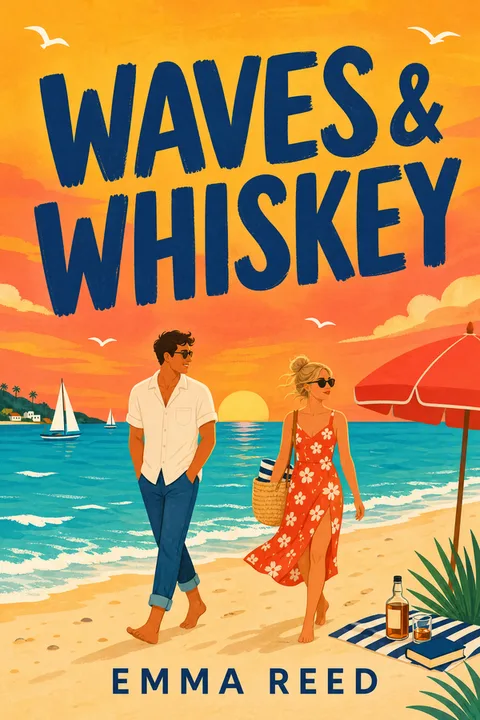
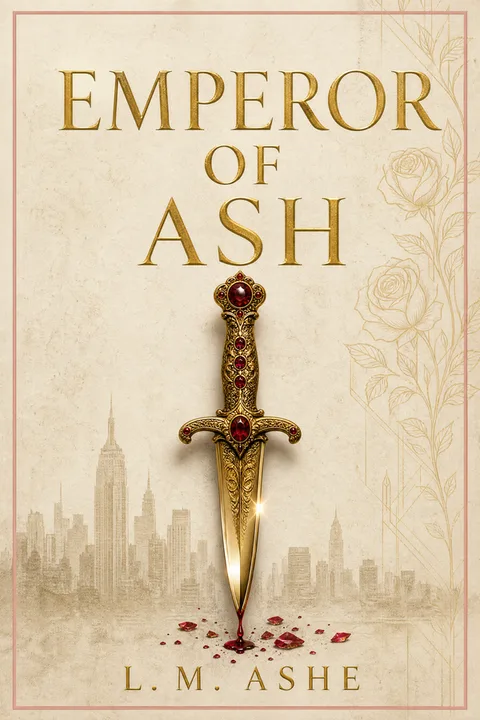
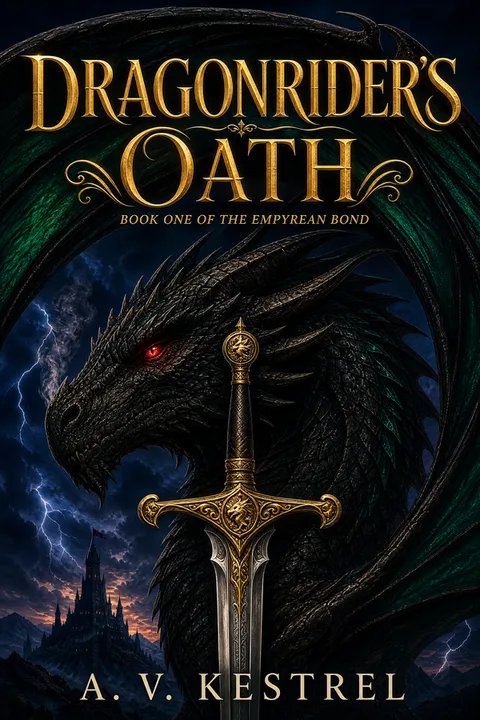

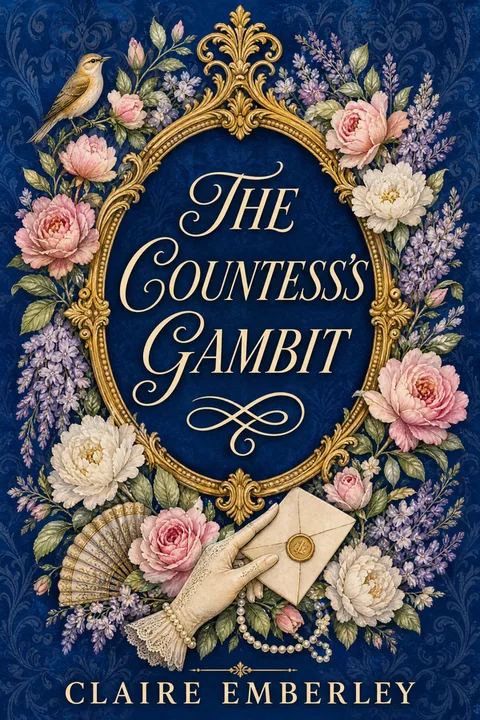
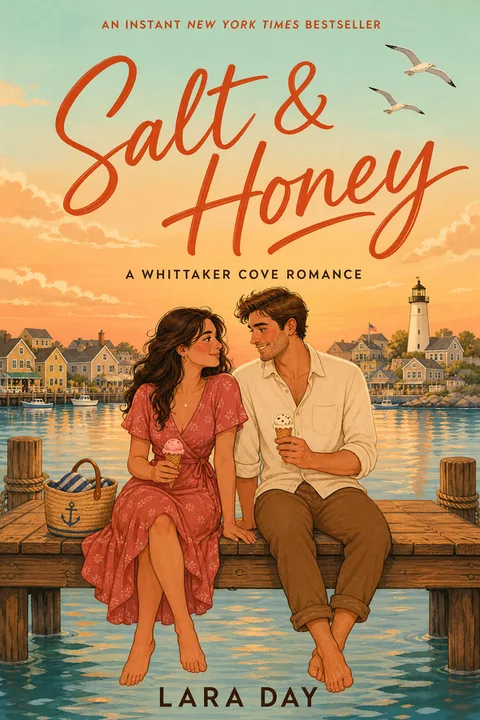
If your book is not romance, the same approach applies — pick a front that follows your genre's conventions, then extend the front's voice into the back-cover wrap with the seven zones, the genre-tier blurb, and the reserved barcode block.
For a wider read on how the front-cover decision drives every downstream design choice, How to Make a Book Cover (the Decision Tree) walks the front-cover decisions that the back inherits from.
Three free AI Generations, valid 7 days, no card required. Apply the patterns in the romance wizard directly — the back-cover voice locks to the front-cover archetype.
01What is the back of a book cover actually called?
The back of the book is called the back cover, but the printed sheet that wraps the entire paperback — back, spine, and front in one image — is called the wrap or the cover wrap. When a designer quotes for "a paperback cover," they typically mean the wrap, not the front alone; when a designer quotes for "an ebook cover," they mean the front only. Knowing the difference matters because the back cover is rarely a standalone deliverable — it is one third of a single wrap file that KDP, IngramSpark, or your printer needs sized to your exact trim and page count. The text on the back is usually called the blurb (or the back-cover copy); the small block in the lower-right with the ISBN and barcode is called the price box or barcode block.
02How long should the blurb on the back of a book be?
The working tier we use across paperback briefs is roughly 100–200 words for fiction, with romance trending shorter (about 80–140 words) and nonfiction trending longer (about 120–220 words). The reason length matters is that the back cover is read at arm's length in a store and at full size on a product page — both reading conditions punish walls of text. Aim for two to four short paragraphs, with the first paragraph carrying the hook in fewer than twenty words. Every blurb gets long on the first draft; cutting twenty percent of the draft almost always improves the reading rhythm. Authors who skip the cut almost always end up with a back cover that looks dense and amateur, even when the copy itself is fine.
03What is the difference between an ebook cover and a paperback cover?
An ebook cover is the front only, exported as a single image at roughly 1600×2560 pixels for KDP. A paperback cover is a single wrap file — back, spine, and front composited in one image, sized to your exact trim and page count, with bleed on all four edges. Trim plus page count plus paper type drive the spine width, which drives the total wrap dimensions, which means the same book at 250 pages and 350 pages needs two different wrap files. Designing the back cover as a separate image and "joining it later" is a common cause of failed KDP uploads — the spine ends up wrong width and the design crosses the gutter into the wrong panel.
04How wide should the spine on a paperback book cover be?
Spine width is a function of page count and paper type, not a fixed number. KDP's published formula for paperback covers is 0.002252 inches per page for white paper and 0.0025 inches per page for cream paper, with a slightly different number for premium-color paper. A 250-page paperback on white paper has a spine of about 0.56 inches; the same book on cream paper has a spine of about 0.63 inches. A 400-page paperback on white sits closer to 0.9 inches. Do not estimate the spine — use KDP's or IngramSpark's official cover calculator with your exact specs and download the wrap template directly. Designing to a guessed spine width is the single most common cause of upload-loop pain on KDP, where the spine art creeps onto the front or back cover after print.
05Can I leave the back cover blank?
A blank back cover is a legitimate design choice — usually for design-led literary fiction, art books, and certain Bauhaus-minimal cookbooks and poetry collections — but it costs you the in-person sales pitch and is rarely the right call for genre fiction sold on Amazon. The back-cover blurb has its biggest impact on physical retail discovery (bookstore browse, library pick-up, used-bookstore shelf), where the buyer cannot see the Amazon product page. For KDP-only romance, thriller, and fantasy, where the vast majority of discovery happens digitally, the back-cover blurb has less weight, and a clean back with only a quote, the series name, and the ISBN block can read intentional rather than lazy. The honest framing is that blank is a deliberate art-direction trade-off, not a shortcut to skip the copywriting work.
06Where exactly does the ISBN and barcode go on a back cover?
The ISBN and EAN barcode go in the lower-right corner of the back cover, set well back from the trim edge so the barcode is not at risk of being trimmed during binding. The exact safe-area dimensions differ slightly by printer — KDP expects a 2-inch by 1.2-inch white box, IngramSpark publishes 1.75 inches by 1 inch, and most other print-on-demand services land between those two. The reliable move is to design to KDP's larger 2 × 1.2-inch box so the same wrap file ships to both. KDP and IngramSpark both auto-place the barcode at upload when you do not supply one — you only need to reserve the white space. Placing the barcode on dark, textured, or low-contrast artwork is a common cause of failed scanner reads at retail. The publisher mark or logo, if you use one, sits to the left of the barcode block, not above or below it.
Evan Ye is the founder of MakeMyBookCover and runs the cover-archetype research behind the product — coding category bestseller lists by hand for every genre in the Bestseller Cover Visual DNA Index, and re-coding them as the lists move, to keep the genre-signal models honest.