Three ways in. Start from whichever you already have.
I have the food photoBeta
Upload a photograph of your own dish and the cover is built around it. The model is held to a strict contract — keep the food, the styling, the lighting and the palette; crop, extend the background outward, place the type; add nothing and replace nothing. It re-renders rather than pasting your file in, so expect a close fit rather than a pixel-exact copy of your photo.
Start from my photoI want the food made for me
Pick the cookbook archetype closest to your book — baking, healthy, weeknight, regional, family or author-brand — and the food, the palette and the type are generated to that category’s conventions. It is the shortest route: one choice and the rest is generated.
Browse the six archetypesI know exactly what the dish should be
Describe it instead — the dish, the surface, the light, the mood — and skip the archetype. The description is the strongest signal the generator takes, so “one rustic tart on pale linen, soft daylight from the left” lands closer than any preset would.
Describe my cover
Six categories, six different jobs for the cover.
A baking cover and a diet cover are not the same cover with different food in it — they are lit differently, framed differently and typeset differently, because they are selling different things. Pick the one closest to your book and the wizard opens on it.
Each of these is a reference archetype, not a template. Choosing one steers the palette, the lighting, the framing and the type toward that category’s conventions; the dish, the composition and the words are generated for your book. You do not get this picture — you get a cover that belongs on the same shelf.
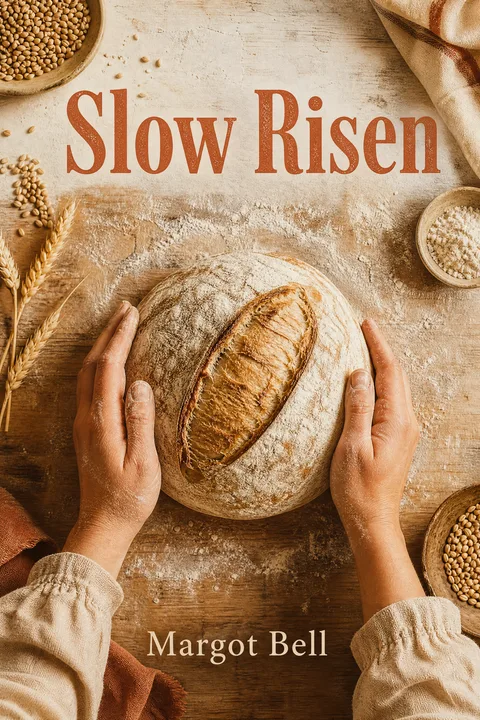 Baking & dessertsTexture is the whole sale — crumb, glaze, crust. One bake shot close under raking window light beats a tray of twelve, because at thumbnail size a tray has no subject.Start with this one
 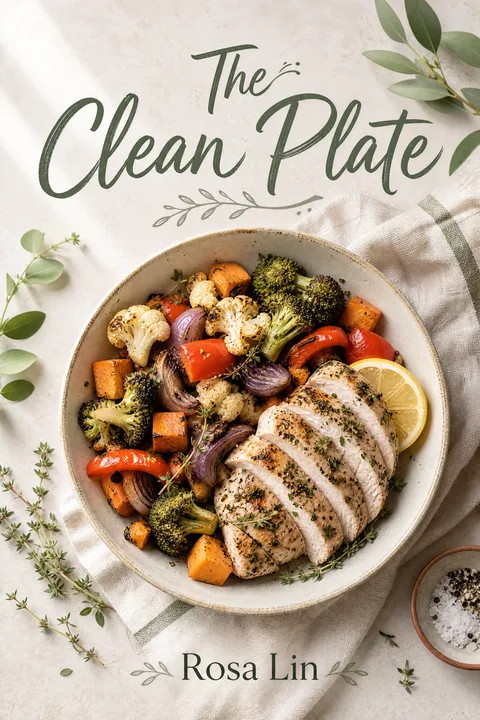 Healthy & dietKeto, vegan, Whole30, Mediterranean: the palette IS the promise. Crisp daylight and an uncluttered plate say “light and doable” before a single word is read.Start with this one
 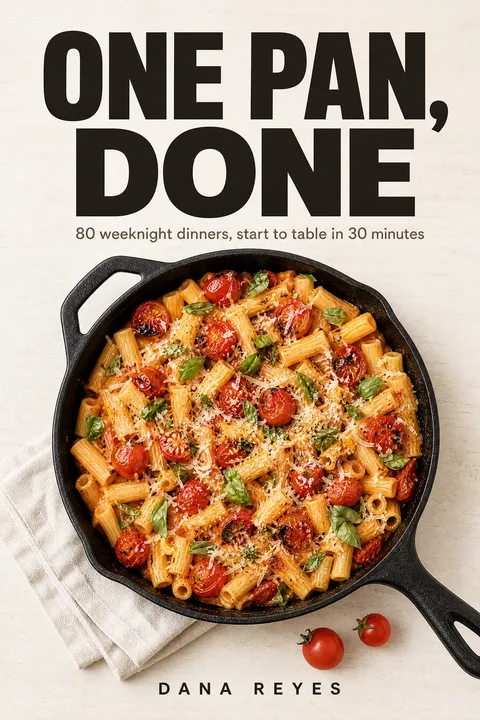 Quick & easyHere the title carries the promise and the food only confirms it, so the food is shot flat and plain to leave the top of the cover genuinely empty for type.Start with this one
 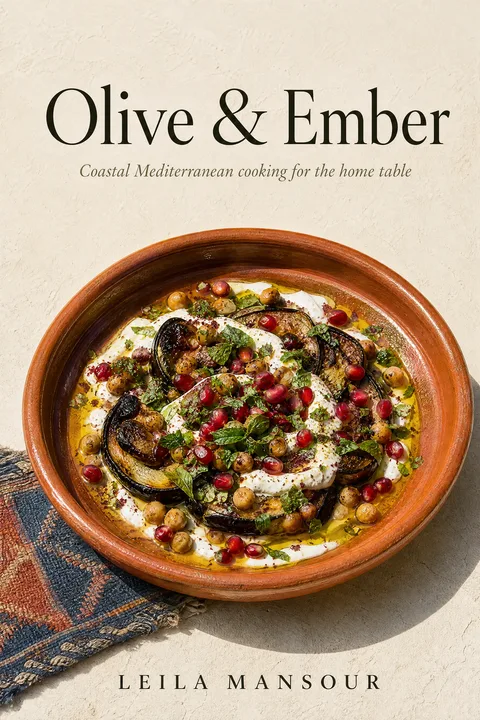 Regional cuisineOne dish that names the cuisine, plus exactly one cultural cue — a vessel, a textile, a surface. Piling on signifiers is how a regional cookbook ends up looking like a brochure.Start with this one
 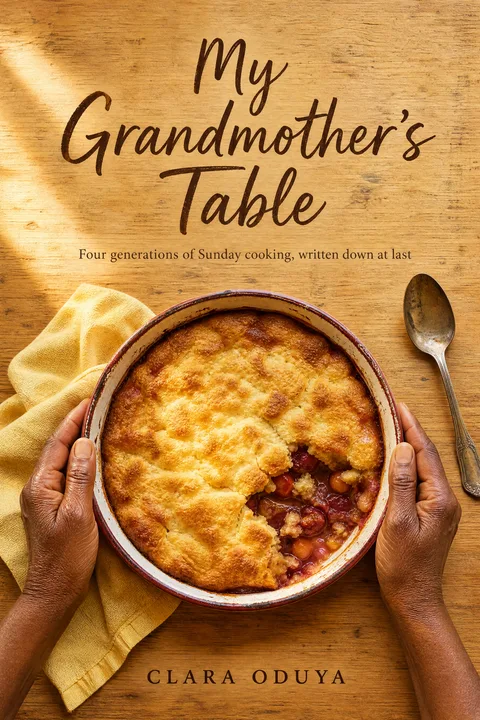 Family & heritageThe bridge cover: warm enough to feel like the family recipes it came from, resolved enough to sit on a shelf beside books with a publisher behind them.Start with this one
 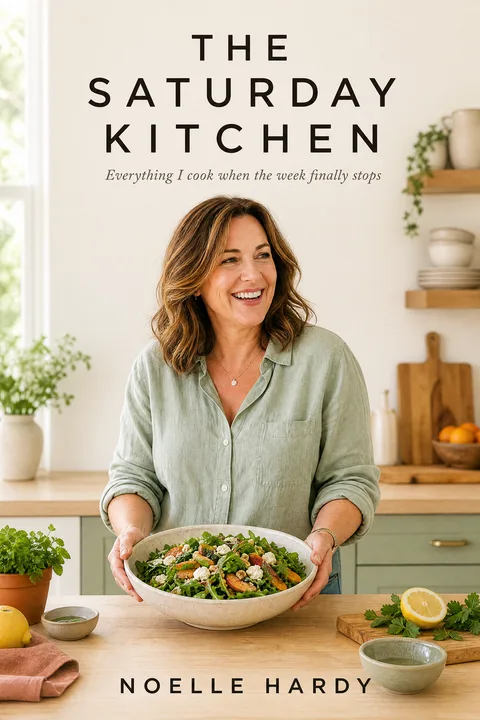 Author & chef brandYou are the cover. The right call when you already have an audience and the brand is your name rather than a cuisine — 12% of the coded bestsellers do exactly this.Start with this one
Cookbook is the one genre that inverts every other shelf.
We hand-coded the Best Sellers — Cookbooks, Food & Wine Top 50 (50 covers) for background, image type, subject count and author presence. Fiction covers go dark; cookbooks go light. That single difference is why the archetypes above are not the fiction archetypes with food dropped in.
- 84%
- set the cover on a light or bright background — the inverse of the dark grounds that dominate fiction covers.so a dark, moody cover reads as the wrong shelf before anything else registers
- 74%
- lead with a photograph — a finished dish, ingredients, or the author/chef — rather than illustration or pure typography.so a photograph is the default, and a weak photo is worse than no photo
- 46%
- anchor on a single hero subject — usually one plated dish shot close or overhead — instead of a multi-dish grid.so one dish, shot to fill the frame — not a contact sheet of what is inside
- 28%
- use a multi-dish grid or collage, a pattern concentrated in beginner, diet, and appliance (Instant Pot / griddle) cookbooks.the grid, concentrated in beginner, diet and appliance books — a convention, not a rule
- 12%
- feature the author's or chef's face on the cover — a celebrity-/author-branding convention almost absent from fiction.the author-portrait cover, which fiction has no equivalent of
Sample refreshed 2026-Q2. First-hand visual coding by MakeMyBookCover, not a cited survey — the covers were opened and classified one at a time.
A browsing cook chooses at about 100 pixels wide.
Cookbooks are browsed in a grid, not read. At this size a six-dish collage turns to mush, a dim photo goes muddy, and a script title over a busy plate stops being a word. These are the same six covers from further up the page, scaled down.
This is a way to judge your own cover, not a feature — there is no thumbnail preview screen in the product. Export yours, scale it to 100px, and put it beside the Cookbooks & Food bestsellers.
Five steps. One of them costs anything.
1 AI Generation = 1 successful new visual. Text and typography changes, exports and wrap formatting use 0. Failed or result-less requests use 0. Your first 3 are free for 7 days.
- Free
Say what the book is
Title, author, and a sentence about the food — the dish, the surface, the light. The sentence matters more than the form does: it is the strongest signal the generator takes, and it is where "sourdough on a floured board in morning light" beats any preset.
- Free
Choose the visual direction
Either pick the cookbook archetype closest to your book, upload a food photograph you already own, or leave both and let the description carry it. This is the one decision that changes what the cover looks like; everything after it is adjustment.
- 1 AI Generation
Generate
A cover comes back in about a minute, with the title and author already set into the picture. It lands in a project rather than as a loose file, which is what makes the next two steps possible.
- Free · 1 to change the picture
Work on it
Replace the title text, make it bigger, or describe a change to the picture — warmer light, a different loaf, a plainer background. Each change becomes a new numbered version and nothing you keep is overwritten, so going back costs nothing but a click.
- Both free
Export and publish
Take the front cover as PNG or JPG for the Kindle edition, and build the paperback wrap — back cover, spine and front as one print-ready PDF — from the same version, with page count and paper set to your book. Check the trim first: a cookbook is a rectangular book, so its wrap builds at 6 trims from 5 × 8 in to 7 × 10 in — and 8 × 10 in, a standard cookbook trim, is not one of them.
An account is needed before the first generation — that is where your project and its versions live. No card until you want a clean, unwatermarked file.
The first cover is a draft. Most of what follows is free.
The picture is generated once. After that, the work of finishing a cover — getting the title right, sizing it, changing one thing about the food — happens without regenerating from scratch, and most of it costs nothing.
- Replace the title text0 AI Generations
- Make the title bigger0 AI Generations
- Describe a visual change1 AI Generation, on success only
Nothing you make replaces anything you kept.
Every change creates a new numbered version that records which version it came from, so a project reads as a lineage rather than one file being overwritten. The version your downloads are built from changes only when you choose it, which is what makes trying a warmer palette safe.
An AI Generation is used only when a new result actually succeeds. Failures, timeouts, cancellations and retries of the same request never consume the final allowance.
What this is not: a typography editor. The title is drawn as part of the picture rather than sitting on a layer above it, so there is no font picker and no drag handles, and the two free operations act on the title, not the author name. Anything else — including moving type — is described in a sentence, which makes a new picture and costs one AI Generation. A described change re-renders every pixel and is biased to keep the artwork, not guaranteed to; the previous version stays exactly where it was either way.
One ebook cover. A separate paperback wrap.
A paperback is a separate wrap file. Covers made here build it in the project’s Publish workspace, where a back-cover headline, blurb, spine text and one of four looks are drawn live over the print guides; a cover from anywhere else goes through the simpler standalone converter. Building, formatting and exporting the wrap uses 0 AI Generations on both routes, and both use the same KDP trim, page-count and spine maths.
Ebook front cover
- Size
- 1600 × 2560 px portrait · 1600 × 1600 px square
- Formats
- PNG and JPG
- Rights
- Commercial rights on a paid download
- Cost to export
- 0 AI Generations
Paperback full wrap
- Trims
- 5 × 8 in · 5.25 × 8 in · 5.5 × 8.5 in · 6 × 9 in · 6.14 × 9.21 in · 7 × 10 in
- File
- One PDF — back cover, spine and front
- Colour
- RGB. KDP’s print guidance recommends CMYK — order a proof before a print run
- Cost to build
- 0 AI Generations
Portrait is exactly Amazon's recommended Kindle cover size. A square cover is the shape the book itself is — what the printed picture book and its wrap are built at — but Amazon's ebook criteria ask for a 1.6:1 ratio, which no square file meets, so check a square cover against those criteria before using it as your Kindle image.
No cover generated here at: 8 × 10 in, 8.5 × 11 in
If you are set on a large-format cookbook, read this before you start. 8 × 10 in is a standard cookbook trim and no cover is generated here at it. A cover is generated as a 1.6:1 portrait or a 1:1 square front cover, and it is printed at the trims those shapes fit. These are neither shape, so generating one and putting it on this book would mean cropping a cover into a trim it was not drawn for — we do not offer that rather than do it.
The free paperback wrap builder does cover these trims: bring front artwork you already have and it composes the back, spine and bleed around it and exports the print-ready PDF, at any standard KDP paperback trim. And an ebook front cover generated here is unaffected — the same PNG at the size its own shape exports at (1600 × 2560 px portrait · 1600 × 1600 px square), with the same commercial rights, and what a print designer would start from.
Of the trims a cover is generated at, 7 × 10 in is the largest and is a real choice for a text-forward recipe book; 6 × 9 in is the most common paperback size overall. For a photo-heavy 8 × 10 cookbook, bring the front artwork and the wrap builder does the rest.
You pay for new pictures. Everything else is free.
- Free$0
3 AI Generations, valid 7 days. Results come back watermarked at 1080px wide, for judging the design. No card — but an account, before the first generation.
- Basic$19
20 AI Generations. One-time, valid 12 months. Clean files and commercial rights.
- Pro$39
60 AI Generations. One-time, valid 12 months — for a series of cookbooks, or several books.
1 AI Generation = 1 new AI visual result
- Title text changesRe-lettering, not a new picture
- Title typographySame
- Front cover export — PNG and JPGA file format, not a picture
- Paperback Full Wrap formatting and PDFDeterministic layout of art you already have
- Solid back panel on the wrapIt is a rectangle
- Re-downloading anything you already madeYou already paid for it
- Failed, cancelled or result-less requestsNothing was created
And what does use one
- Each cover in the first generationOne new AI visual each
- A new concept or variation in the projectOne new AI visual
- A described visual change in RefineOne new AI visual
Each new visual costs one AI Generation, so what a finished cover costs you is however many directions and revisions you choose to try. For comparison, a dedicated cookbook-cover service runs about $199 and roughly two weeks, and a custom designer $625–$1,250 — 2026 indie-market figures from Reedsy, BookCoverHub and MIBLART, quoted as a market range rather than as a quote from any one of them. Cookbook authors also carry two costs a cover never includes: food photography, and photo-heavy interior formatting.
What you may do with it — and what this cannot do.
Selling the book
A paid download carries full commercial rights: publish it, sell it, put it on a paperback. The 3 free results are watermarked at 1080px and licensed for judging the design and sharing as they are — publish from a paid download.
AI disclosure
KDP does not ban AI on covers, and it asks about it in a specific way. A cover the model generated from a prompt is AI-generated content, and KDP asks you to declare that during title setup. Work you created yourself and then refined with an AI tool is AI-assisted, which KDP does not require you to declare. Covers made here are generated, so expect to declare them; if you uploaded your own photograph and the cover was built around it, which bucket that falls in is a judgement about your own process. Either way the declaration is a step only you can take, on KDP’s form, against its wording at the time — check it there rather than taking our summary as the rule.
Your book’s details
The title and description you type are used to make your covers. They are not published on this site and not shown to other authors. Every cover on this page is a fictional demonstration book — no customer work appears anywhere here.
Not currently supported
- Locking an exact character across several booksYou can describe a change and regenerate, and you can start a new cover from an existing one, but there is no character reference that reproduces the same face book after book.
- A paperback wrap at 8 × 10 inA standard cookbook trim. See the wrap spec above for what is built instead and why.
- Editing one element of the picture on its ownThere is no lasso or mask. A described change re-renders the whole image, biased to keep everything you did not mention — which is why every version is kept.
Questions cookbook authors ask.
Go deeper
Making a family recipe binder rather than a book to sell?
Then this is probably the wrong tool, and it is cheaper to say so than to let you find out. If you are printing a keepsake at home, a free printable template from Canva, PosterMyWall or Venngage is built for exactly that and will be faster. What is here is for a cookbook you intend to publish and sell — commercial rights, KDP sizes, a paperback wrap. If that is where your recipes are headed, you are in the right place.
Name the dish on the cover.
The first one comes back in about a minute.
Pick a cookbook category, type a sentence about the food, and see a real cover before you decide anything. 3 AI Generations are free for 7 days and no card is needed to start.
Start a cookbook coverFree results are watermarked previews at 1080px. Title edits, exports and paperback wrap formatting never use an AI Generation.